Core model
User roles describe participation in use.
A user role is not the same as a person, job title, persona, permission group, or market segment. It is a stable pattern of responsibility and intention in relation to the system.
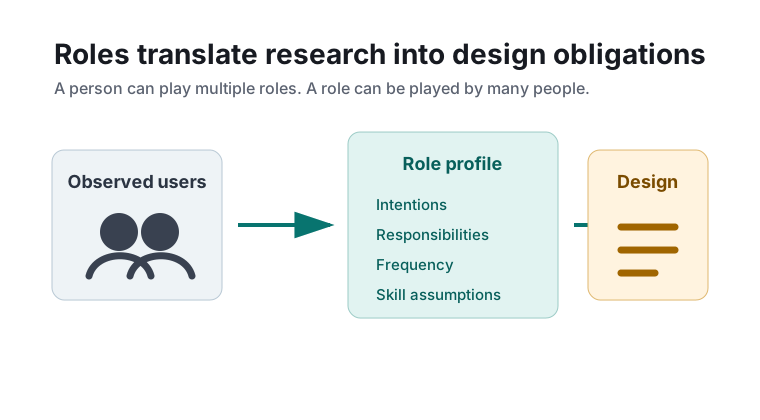
Role Definition
In usage-centered design, a role captures how someone participates in the system's work. Roles are defined by goals, obligations, knowledge, frequency of use, and relationship to other roles.
Design implication
Interfaces should support roles directly. When a role needs fast repeated execution, the design should emphasize efficiency. When a role is occasional or risky, the design should emphasize guidance and recovery.
Role, Persona, And Job Title
| Artifact | Primary question | Risk if confused with a role |
|---|---|---|
| Job title | Where does this person sit in the organization? | One job can include several roles, and one role can cross departments. |
| Persona | What is this archetypal person like? | Biographical detail can distract from the actual interaction responsibility. |
| Permission group | What is this account allowed to do? | Security boundaries may not explain intention, frequency, or cognitive load. |
| User role | What participation pattern must the system support? | The main risk is defining roles too broadly, making the model vague. |
Role Profile Template
A concise role profile is enough for most design work. It should be short, testable, and focused on how the system is used.
- Name: use an action-oriented role name, such as Claims Reviewer or Schedule Coordinator.
- Purpose: one sentence stating why the role uses the system.
- Responsibilities: key duties the system must support.
- Essential tasks: the task cases associated with the role.
- Frequency and pace: occasional, daily, continuous, urgent, interrupt-driven, or batch-oriented.
- Knowledge assumptions: domain expertise, system expertise, and vocabulary.
- Collaboration: roles that this role hands work to or receives work from.
- Failure sensitivity: what happens when the role makes a mistake or cannot complete the task.
Finding Roles
Roles usually emerge from a mix of interviews, observation, workflow analysis, policy review, and existing system logs. The strongest clues are repeated responsibility patterns, not organizational labels.
Ask about handoffs
Handoffs reveal role boundaries because they expose responsibility changes: who starts work, who approves it, who corrects it, and who consumes the outcome.
Watch for tempo
Roles with high-frequency use need different interaction support than roles that appear only during exceptions, audits, or setup.
Separate authority from activity
A manager may approve decisions but rarely perform the operational task. Treat those as different roles if the system must support both.
Merge cautiously
Merge roles only when their intentions, task set, information needs, and pace of use are materially the same.
Role Map
A role map shows the roles that touch the system and how they relate. It is useful before writing detailed use cases because it prevents the team from optimizing for the loudest stakeholder only.
Use the role map to answer: Which roles are primary? Which are supporting or administrative? Which roles are downstream consumers? Which roles are affected by errors?